

How to Get Zong eSIM in Pakistan – Complete Guide
Zong customers with compatible smartphones can use a Zong eSIM instead of a traditional physical SIM card. An eSIM is built directly into your phone, allowing you to activate your mobile number digitally.
In this guide, we explain how to get a Zong eSIM in Pakistan, the requirements, activation process, and how to set it up on iPhone and Android phones.
What Is a Zong eSIM?
A Zong eSIM is a digital SIM profile that can be installed on an eSIM-compatible smartphone. Instead of inserting a physical SIM card, you receive an eSIM QR code and scan it using your phone.
Once activated, the eSIM can provide Zong mobile services just like a compatible physical SIM.
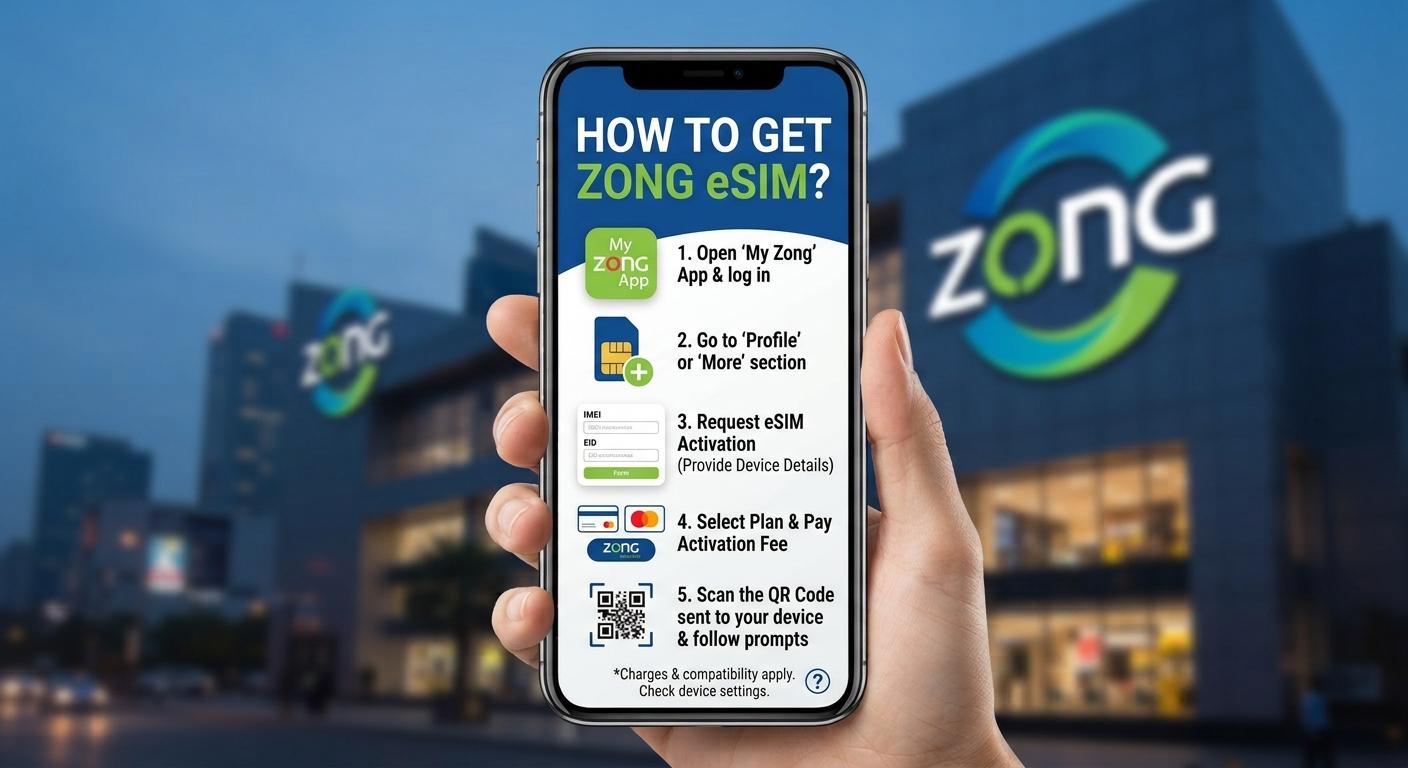
How to Get Zong eSIM in Pakistan
1. Check Your Phone's eSIM Support
Before getting a Zong eSIM, make sure your smartphone supports eSIM.
eSIM is available on selected models from:
- Apple iPhone
- Samsung Galaxy
- Google Pixel
- Motorola
- Other compatible smartphones
You can check your phone's specifications or look under Settings > Mobile Network/SIM to see whether an eSIM option is available.
2. Visit a Zong Customer Service Center
Visit an authorized Zong Customer Service Centre or franchise and request a Zong eSIM.
Take your original CNIC with you. You may need to complete biometric verification according to Pakistan's SIM registration requirements.
If you are converting an existing Zong physical SIM to eSIM, tell the representative that you want an eSIM replacement.
3. Complete Biometric Verification
Zong will verify your identity using the required biometric verification process.
After successful verification, your eSIM request will be processed.
4. Receive the Zong eSIM QR Code
After your request is processed, you will receive an eSIM QR code or activation information.
The QR code is used to download the Zong eSIM profile onto your smartphone.
Important: Keep your eSIM QR code private. Do not share it with anyone.
How to Activate Zong eSIM on iPhone
If you have a compatible iPhone:
- Open Settings.
- Tap Cellular or Mobile Service.
- Select Add eSIM.
- Choose Use QR Code.
- Scan your Zong eSIM QR code.
- Follow the instructions displayed on the screen.
- Wait for the eSIM to activate.
Once activation is complete, your Zong number should connect to the network.
How to Activate Zong eSIM on Samsung
On supported Samsung Galaxy phones:
- Open Settings.
- Tap Connections.
- Select SIM Manager.
- Tap Add eSIM.
- Select the option to scan a QR code.
- Scan your Zong eSIM QR code.
- Follow the on-screen instructions.
- Wait for the Zong network to become active.
The exact menu names may vary depending on your Samsung model and One UI version.
Can I Convert My Existing Zong SIM to eSIM?
Yes, eligible Zong customers with eSIM-compatible phones can request a SIM replacement/conversion through an authorized Zong outlet.
Your physical SIM may be deactivated after the eSIM is successfully activated.
Before converting your SIM, confirm the latest Zong eSIM charges, requirements, and activation procedure with Zong.
What Do You Need for Zong eSIM?
You will generally need:
- An eSIM-compatible smartphone
- Original CNIC
- Your Zong number if converting an existing SIM
- Required biometric verification
- Zong eSIM QR code or activation details
Important Tips Before Activating Zong eSIM
Make sure your phone has a stable internet connection while downloading the eSIM profile.
Keep your eSIM QR code secure because it contains activation information.
If you change your phone or reset your device, you may need a new eSIM profile depending on Zong's current policy.
Frequently Asked Questions
Does Zong offer eSIM in Pakistan?
Yes, Zong offers eSIM services for compatible devices. Availability, charges, and requirements can change, so check with Zong for the latest information.
Can I get a Zong eSIM online?
The availability of online eSIM issuance can depend on the type of request. If online activation is not available, visit an authorized Zong Customer Service Centre or franchise.
Does Zong eSIM work on iPhone?
Yes, compatible iPhone models can use a Zong eSIM when the device and network service are supported.
Does Zong eSIM work on Samsung?
Yes, selected Samsung Galaxy models support eSIM. Make sure your exact model and regional variant support the feature.
Do I need biometric verification for a Zong eSIM?
SIM issuance and replacement in Pakistan are subject to applicable identity and biometric verification requirements. Confirm the current requirements with Zong before visiting an outlet.
Conclusion
Getting a Zong eSIM in Pakistan is straightforward if you have an eSIM-compatible smartphone. Check your device compatibility, visit an authorized Zong service center or franchise with your CNIC, complete the required verification, and obtain your eSIM QR code. You can then scan the QR code through your phone's cellular settings to install and activate your Zong eSIM.
اترك تعليقاً
لن يتم نشر عنوان بريدك الإلكتروني. الحقول المطلوبة مشار إليها بـ *