

Don't Sell Your Old iPhone Yet: 4 Useful Things You Can Do With It
Upgrading to a new iPhone doesn't automatically mean your old one has become useless. If your previous iPhone still works properly and continues to receive software and security updates, there are several practical ways to give it a second life.
Instead of immediately trading it in or leaving it unused in a drawer, you can turn an older iPhone into a dedicated device for entertainment, photography, home monitoring or other everyday tasks.
Apple continues to support older iPhone models with software updates for years, making it possible for many devices to remain useful long after their original purchase. Apple's current iOS 27, for example, supports iPhone 11 and newer models.
Here are four useful ways to repurpose an old iPhone.
1. Turn It Into a Dedicated Entertainment Device
One of the easiest ways to reuse an old iPhone is to make it your personal entertainment machine.
Instead of carrying your primary phone everywhere, keep the older iPhone loaded with music, podcasts, videos, games and reading apps.
You could use it for:
- Watching YouTube and streaming services
- Listening to music and podcasts
- Playing mobile games
- Reading ebooks and articles
- Downloading movies for travel
- Using it as a dedicated music player
This can also reduce the amount of storage and battery pressure placed on your newer phone.
For example, you could leave the old iPhone connected to a speaker at home and use it as a permanent music controller.
2. Use It as a Camera or Video Device
Older iPhones can still produce surprisingly good photos and videos, particularly if the camera hardware remains in good condition.
Keeping an older iPhone as a dedicated camera can be useful when you don't want to risk damaging your expensive new handset.
You can use it for:
- Travel photography
- Family videos
- Social media content
- Time-lapse recordings
- Product photography
- Backup photography
It can also become a useful second camera when recording content. One iPhone can capture the main shot while the older device records from another angle.
If you have enough storage, you can also use the device for recording long videos without filling the storage of your primary phone.
3. Turn It Into a Smart Home or Security Device
An old iPhone can also become part of your home setup.
With the appropriate apps and accessories, the device can be used as a secondary screen for smart-home controls or as a camera for monitoring a room.
For example, you could position it on a stand and use it to:
- Monitor a doorway
- Keep an eye on a room
- Display a baby monitor feed
- Control smart-home devices
- Display a security camera feed
- Act as a dedicated video-call screen
However, you should consider battery condition and heat if the phone will remain plugged in for long periods.
An aging battery can deteriorate further when exposed to heat or continuous charging, so don't place an old iPhone somewhere poorly ventilated.
4. Keep It as an Emergency or Backup Phone
Perhaps the most practical option is simply keeping your old iPhone as a backup.
Phones can be lost, stolen or damaged unexpectedly. Having another working device available can save you from being completely disconnected while you arrange a replacement.
You can keep the old iPhone charged and ready for emergencies.
Depending on the model and carrier, it can potentially be used with a cellular plan, Wi-Fi or another connectivity option.
A backup phone can be particularly useful when traveling. If your main phone is damaged during a trip, having a second device can give you access to communication, maps, authentication services and other important apps.
Check the Battery Before Repurposing It
Before turning an old iPhone into a permanent secondary device, check its battery condition.
Open:
Settings → Battery → Battery Health & Charging
An aging battery may have significantly reduced capacity compared with when the phone was new.
If the device shuts down unexpectedly or requires charging several times per day, replacing the battery may make more sense than replacing the entire phone.
Battery condition is one of the major factors to consider when deciding whether an older iPhone is still worth keeping.
Make Sure It Still Receives Security Updates
The most important consideration isn't how old the iPhone looks—it's whether Apple still supports it.
Older devices that continue receiving iOS and security updates can remain useful and safer to operate. Once a phone is permanently left behind by software and security updates, continuing to use it for sensitive activities becomes less attractive.
Apple's current support guidance also emphasizes keeping devices updated and protecting personal information when transferring or disposing of an old iPhone.
If you're keeping the phone, install available software updates before putting it back into regular use.
Don't Forget Your Personal Data
If you decide to give the old iPhone to someone else instead of keeping it, don't simply hand over the device.
Apple recommends backing up your information, transferring your data to the new device and removing your personal information before selling, trading in or giving away an iPhone.
You should also make sure that features such as Find My and Activation Lock are handled correctly before another person takes ownership.
Never manually delete individual photos, contacts or documents from an iPhone while those items are still syncing with iCloud unless you understand the consequences. Apple warns that deleting synced content can remove it from iCloud and other connected devices as well.
When Should You Actually Get Rid of an Old iPhone?
Repurposing isn't always the best choice.
If the phone has serious physical damage, an unreliable battery, insufficient storage or no longer receives important software updates, trading it in, recycling it or replacing it may be more sensible.
You should also consider the cost of repairs. If an older iPhone requires an expensive repair, compare that cost with its resale value and the price of a newer replacement.
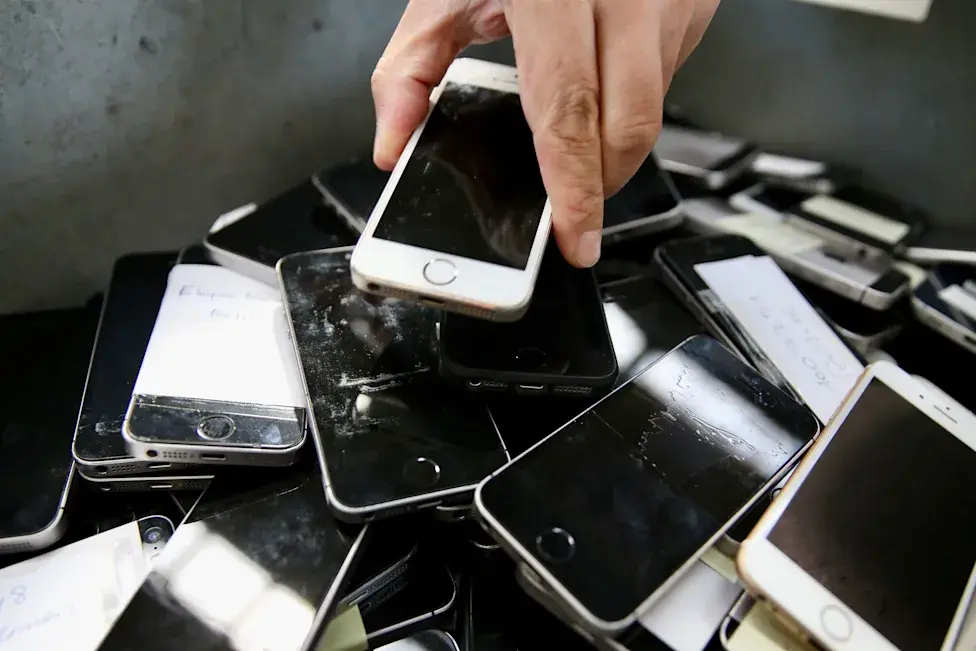
A Second Life Can Be Better Than a Trade-In
The value of an old iPhone isn't necessarily limited to its trade-in price.
A phone that isn't valuable enough to generate a large amount of cash could still be useful as a dedicated camera, media player, backup device or smart-home screen.
That can make keeping it worthwhile, especially if the phone is still functioning well and receiving security updates.
Final Thoughts
Before giving up your old iPhone, think about what you actually need from it.
You could turn it into a dedicated entertainment device, secondary camera, smart-home screen or emergency backup phone. These uses can extend the life of hardware that might otherwise spend years sitting unused in a drawer.
And if you eventually decide to sell, trade in or give it away, make sure your data is backed up and your personal information has been properly removed first.
Your old iPhone may not be the latest model, but that doesn't mean it has reached the end of its useful life.
Tinggalkan komentar
Alamat email Anda tidak akan dipublikasikan. Kolom yang wajib diisi ditandai *