


WhatsApp Introduces Sound Stickers on Android: Here's How to Create Them
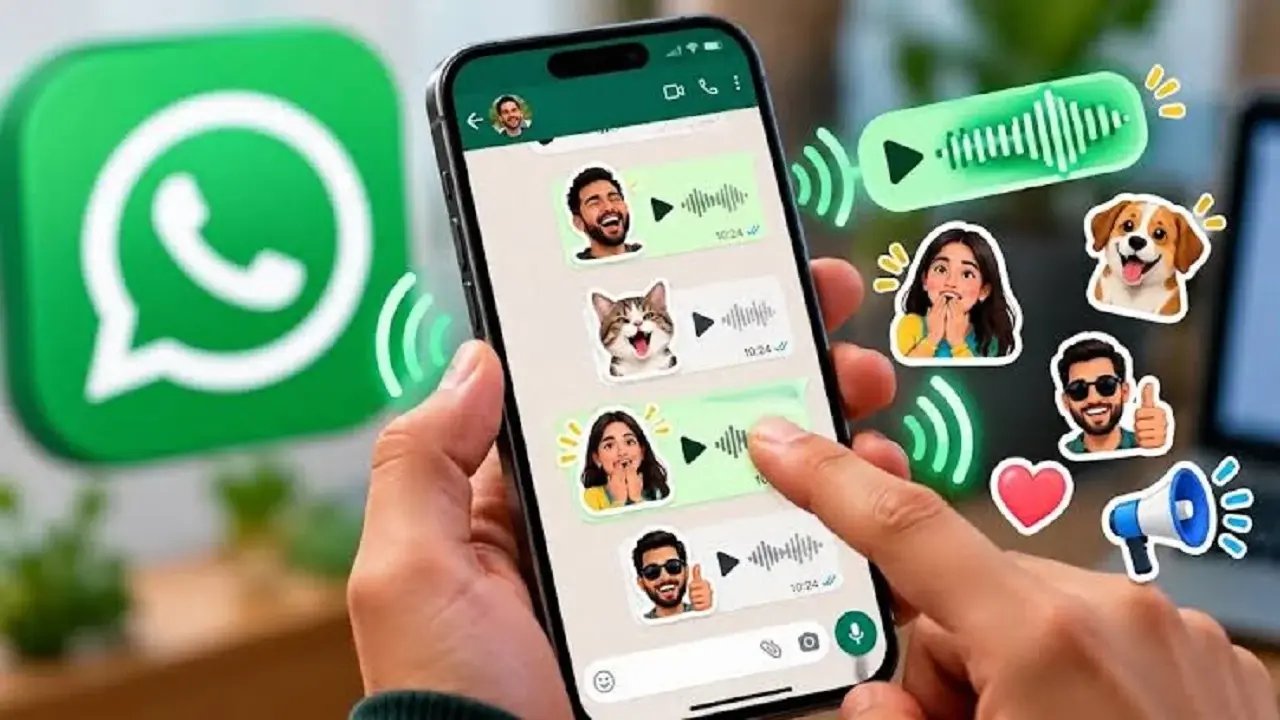
WhatsApp is rolling out a new sound sticker feature on Android that lets users combine animated stickers with audio. The new feature makes chats more expressive by allowing people to create stickers from videos and attach sound effects, voice recordings or audio files.
The feature is currently rolling out to selected Android beta testers, giving users a new way to create personalized stickers and share them in individual and group chats. Unlike traditional animated stickers, sound stickers can play audio when the recipient taps the sound icon.
What Are WhatsApp Sound Stickers?
Sound stickers are animated stickers with an audio track attached. They combine short animations and sounds to make conversations more interactive and entertaining.
Users can create these stickers using videos stored in their phone's gallery. WhatsApp automatically converts the selected video into an animated sticker, after which users can add or customize its audio.
The new feature offers several audio options, including:
Original sound from the selected video
Built-in sound effects
Audio files imported from phone storage
Personal voice recordings
Recipients can tap the audio icon displayed on a sound sticker to listen to its attached sound. This gives users more control over how they experience stickers in their chats.
How to Create Sound Stickers on WhatsApp Android
If the feature is available on your WhatsApp account, you can create your own sound stickers directly from the sticker keyboard. Follow these steps:
Open WhatsApp on your Android phone.
Open any individual or group chat.
Tap the emoji icon beside the message box.
Switch to the stickers section.
Tap Create sticker.
Select a video from your phone's gallery.
WhatsApp will automatically convert the video into an animated sticker.
Tap the new audio button at the top of the sticker editor.
Select the sound you want to attach to your sticker.
Preview your sticker, save it and send it to your contact or group.
The audio editing screen lets users customize the sticker before sending it. You can keep the video's original audio, choose an available sound effect, import an audio file or record your own voice.
Different Ways to Add Audio to WhatsApp Stickers
WhatsApp offers multiple ways to customize sound stickers, allowing users to choose audio that matches the animation or reaction.
Keep the Original Video Audio
If the selected video already contains the sound you want, you can retain its original audio instead of adding another track.
Add Sound Effects
Users can select from available sound effects to make their stickers more entertaining, including reactions and funny sound clips.
Import Audio Files
You can import an audio file from your phone using the Files app, allowing you to use a saved sound clip with your animated sticker.
Record Your Own Voice
WhatsApp also lets users record their own voice and attach it to a sticker. This option can be useful for personalized greetings, funny reactions, voice expressions or custom messages to friends.
How WhatsApp Sound Stickers Play in Chats
When a sound sticker arrives in a chat, it displays a small audio icon indicating that the sticker contains sound.
WhatsApp keeps sound stickers muted by default, so they do not automatically interrupt conversations. Recipients can tap the audio icon whenever they want to hear the attached sound.
According to reports, tapping the icon plays the audio three times in a loop before stopping. WhatsApp also protects sound stickers and their audio through end-to-end encryption, helping keep the content private between participants.
WhatsApp Sound Stickers Availability on Android
The new feature is gradually rolling out to selected beta testers using WhatsApp beta for Android version 2.26.47.1 through the Google Play Store.
It is not available to every Android user yet. Even some beta testers may not see the new audio button because WhatsApp is enabling the feature gradually.
If the sound option does not appear in your sticker editor, you may need to wait for WhatsApp to enable it for your account. Installing the latest update alone may not immediately unlock the feature.
WhatsApp has not announced an official date for the wider Android rollout or confirmed when sound stickers will arrive on iPhone.
Why WhatsApp Sound Stickers Matter
Sound stickers add another layer to WhatsApp's existing sticker experience. Instead of sharing only static images or animated stickers, users can now combine motion and sound into a single interactive message.
The feature could make everyday conversations more fun, especially for users who regularly share memes, funny reactions, voice expressions and personalized stickers in group chats.
WhatsApp's decision to keep the stickers muted by default is also helpful because it gives recipients control over when they hear the audio, avoiding unexpected sounds during conversations.
As the feature expands to more Android users, sound stickers could become another popular way to express emotions and reactions without typing a message.

Lascia un commento
Il tuo indirizzo email non sarà pubblicato. I campi obbligatori sono contrassegnati con *