

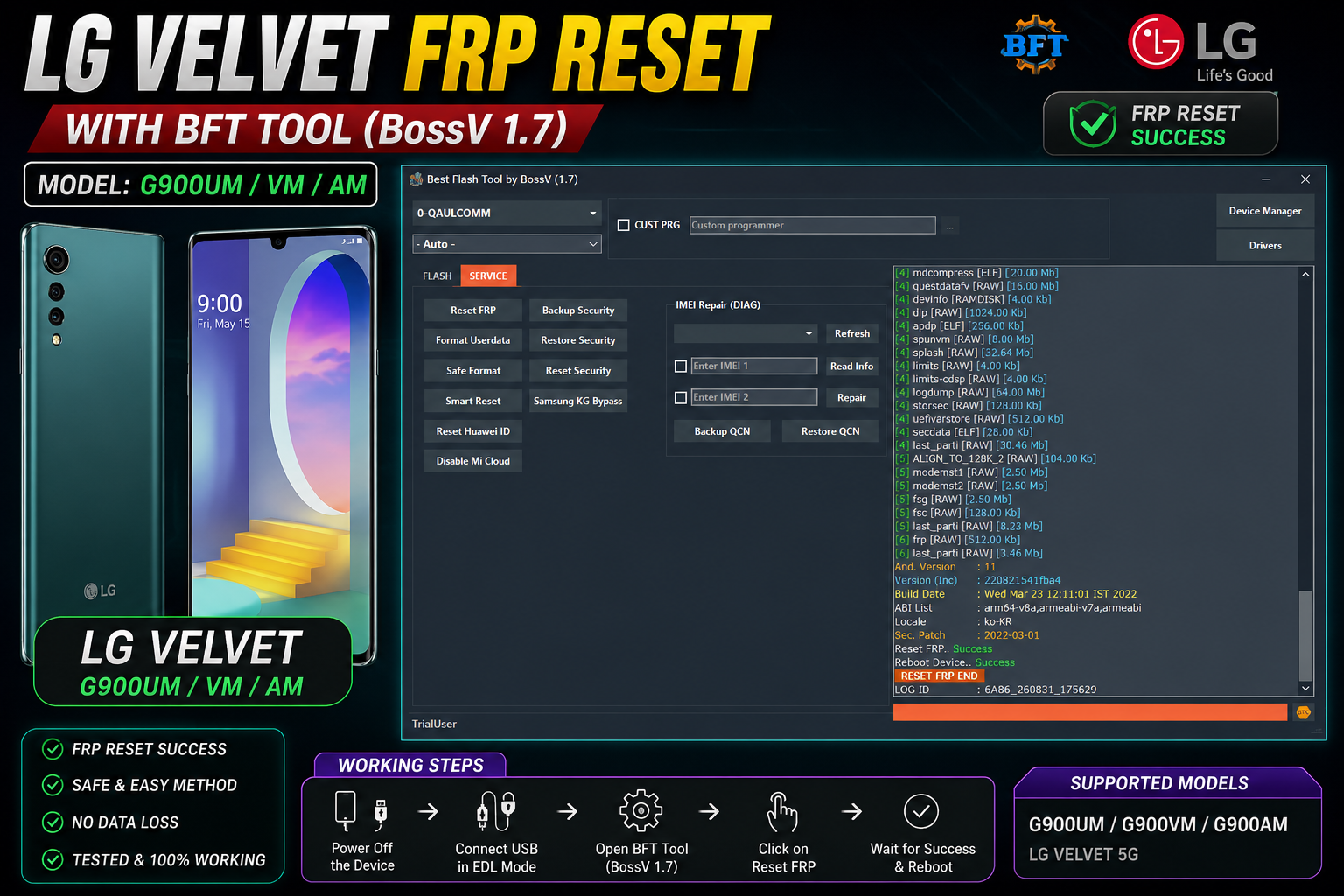
📱 Supported Models
- LG Velvet G900UM
- LG Velvet G900VM
- LG Velvet G900AM
- Platform: Qualcomm
- Tool: BFT Tool BossV V1.7
- Mode: Qualcomm EDL
- Service: FRP Reset
🔧 How It Works
The process starts by putting the LG Velvet into the required Qualcomm EDL mode without physically opening the device. Once the phone is detected by the computer, BFT Tool can communicate with the Qualcomm interface.
Open BFT Tool and select:
0-QUALCOMM → Service → Reset FRP
After starting the operation, allow the tool to communicate with the device and complete the process. According to the provided screenshot, the operation finishes with:
Reset FRP — Success
Reboot Device — Success
RESET FRP END
✅ No Test Point Required
GO TO EDL MODE WITH BUTTONS ONLY
This makes the process more convenient for technicians who want to perform the service while keeping the device physically intact.
DOWNLOAD LINK:
Keywords: LG Velvet FRP Reset, LG Velvet G900UM FRP, G900VM FRP, G900AM FRP, LG Velvet EDL Mode, LG Velvet FRP Without Test Point, LG Velvet FRP Without Opening, BFT Tool BossV 1.7, Qualcomm FRP Reset.
Bir yorum bırakın
E-posta adresiniz yayınlanmayacaktır. Gerekli alanlar * ile işaretlenmiştir