



Essential MacBook Accessories in Pakistan: Cases, Sleeves, USB-C Hubs and Productivity Tools
MacBooks are popular among students, professionals, business owners and creative individuals in Pakistan because of their performance, portability and reliable software experience. Whether someone uses a MacBook Air for university assignments or a MacBook Pro for video editing and professional work, the right accessories can make everyday tasks more convenient.
However, purchasing a MacBook is only the beginning. Accessories such as protective cases, laptop sleeves, USB-C hubs, wireless mice and external storage devices can improve usability while helping users protect their investment.
With so many products available in the Pakistani market, choosing compatible and useful accessories can be confusing, particularly for first-time MacBook owners. Understanding what each accessory does and which features matter can help buyers make better purchasing decisions.
Here is a practical guide to essential MacBook accessories available in Pakistan.
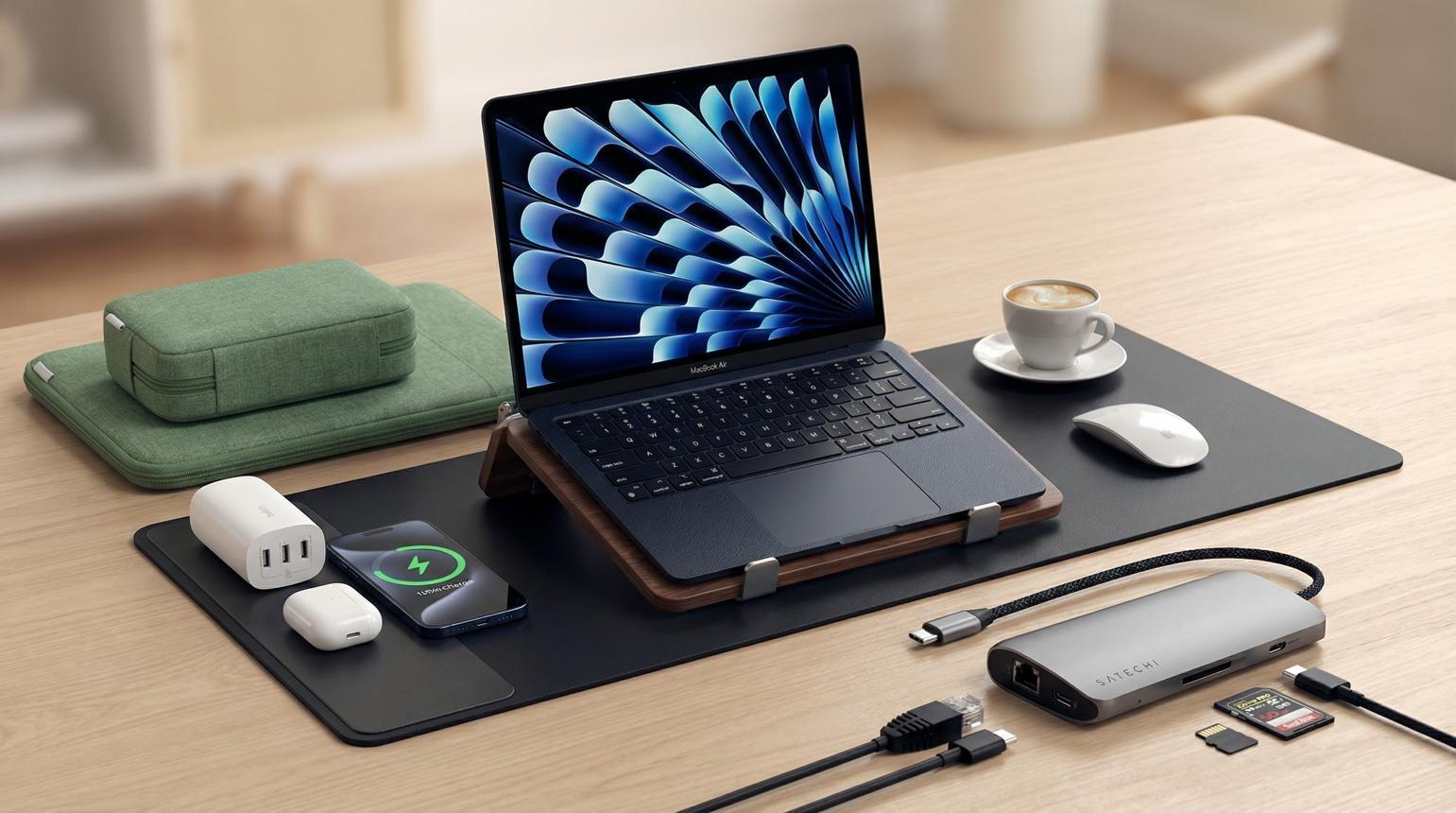
1. MacBook Cases: Protect Your Laptop From Everyday Damage
A MacBook is a valuable investment, and protecting its aluminium body from scratches, marks and accidental damage should be a priority.
A protective case can provide an additional layer of protection against everyday wear and tear. Hard-shell cases are particularly popular because they attach to the laptop's exterior without significantly changing its overall appearance.
When choosing a MacBook case, consider the following factors:
- Exact model compatibility: Check whether the case supports your specific MacBook model and screen size.
- Material quality: Look for durable materials that resist scratches and everyday impacts.
- Ventilation: The design should not interfere with the laptop's ventilation or normal heat dissipation.
- Port accessibility: Make sure the case does not block charging ports, speakers or other connections.
- Weight: A lightweight case is preferable for people who frequently carry their laptops.
It is important to remember that not every MacBook case fits every generation. Even laptops with identical screen sizes can have different body dimensions and port arrangements.
2. MacBook Sleeves: Convenient Protection for Travel
A laptop sleeve is another useful accessory, particularly for students and professionals who carry their MacBooks between home, university and the workplace.
Unlike hard-shell cases, sleeves are designed to hold the laptop inside a separate protective compartment. They help reduce scratches and protect against minor bumps when the device is stored in a backpack or handbag.
There are several types of MacBook sleeves available in Pakistan.
Neoprene Sleeves: These are lightweight, flexible and generally affordable. They are suitable for everyday carrying and basic protection.
Leather and Premium Fabric Sleeves: These offer a more professional appearance and are popular among business users who prefer a minimalist design.
Padded Sleeves: Additional cushioning can help protect the laptop from minor impacts during transportation.
Before purchasing a sleeve, verify its internal dimensions. A sleeve designed for a 13-inch MacBook may not necessarily fit every 13-inch model perfectly.
3. USB-C Hubs: Expand Your MacBook's Connectivity
USB-C hubs are among the most practical accessories for modern MacBook users.
Many MacBook models rely heavily on USB-C or Thunderbolt ports. Although these connections support fast data transfer and external displays, users may still need additional ports for older USB devices, memory cards, projectors and wired accessories.
A USB-C hub addresses this limitation by providing multiple connections through a single laptop port.
Depending on the model, a hub may include:
- USB-A ports for traditional accessories.
- HDMI output for external monitors and televisions.
- SD and microSD card readers.
- USB-C Power Delivery passthrough charging.
- Ethernet connectivity for wired internet.
- Additional USB-C data connections.
For students, an HDMI port can be useful during classroom presentations. Photographers and video editors may benefit from memory card readers, while office professionals can connect external displays and wired accessories.
What to Check Before Buying a USB-C Hub
Not every USB-C hub offers the same performance. Buyers should check supported HDMI resolution and refresh rate, data transfer speeds, Power Delivery limits and compatibility with their MacBook.
It is also important to distinguish between USB-C data ports and ports that support video output or charging. A connector's physical appearance does not guarantee that it supports every feature.
4. External SSDs: Additional Storage for Professional Work
MacBooks offer fast internal storage, but users who work with large files may eventually need additional space.
External solid-state drives (SSDs) provide a convenient solution for storing documents, photographs, videos, software projects and other important data.
Compared with traditional external hard drives, SSDs generally offer faster file access and better resistance to movement because they do not contain mechanical spinning components.
An external SSD can be especially useful for:
- Video editors managing large project files.
- Photographers storing high-resolution images.
- Students keeping academic documents and research material.
- Business owners maintaining backups.
- Professionals transferring files between different computers.
When choosing an external SSD, consider storage capacity, USB connection standards, transfer speeds and compatibility with macOS.
For important files, users should also maintain a separate backup rather than relying on a single external drive.
5. Wireless Mouse and Keyboard: Improve Everyday Productivity
Although MacBooks include excellent built-in keyboards and trackpads, some users prefer external input devices for longer working sessions.
A wireless mouse can provide additional control for spreadsheet work, graphic design, photo editing and general office tasks.
Similarly, an external keyboard can improve comfort when a MacBook is connected to a monitor and used as part of a desktop workstation.
Popular features worth considering include:
- Bluetooth connectivity.
- Rechargeable batteries.
- Adjustable sensitivity.
- Comfortable ergonomic design.
- Multi-device connectivity.
- macOS shortcut compatibility.
Students may prefer compact wireless accessories that are easy to carry, while professionals working at a fixed desk might benefit from full-size keyboards and ergonomic mice.
6. MacBook Stands: Better Desk Organisation and Viewing Comfort
A laptop stand is a useful addition to a home or office workstation.
Raising the MacBook screen can create a more comfortable viewing position and provide space underneath the laptop for organising desk accessories.
Some stands are adjustable, allowing users to change the screen height and viewing angle according to their workspace.
For people who spend several hours working on a laptop, a stand combined with an external keyboard and mouse can create a more practical workstation.
However, users should choose a stable stand that supports their laptop's size and weight. A stand should also allow adequate airflow around the device.
7. Chargers and USB-C Cables: Choose Compatible Accessories
A suitable charger and high-quality USB-C cable are essential for keeping a MacBook powered throughout the day.
Different MacBook models support different charging requirements, so buyers should check the recommended power rating for their specific device.
When purchasing a replacement charger, consider:
- Supported USB-C Power Delivery output.
- Compatibility with the MacBook model.
- Build quality and safety certifications.
- Cable length and durability.
- Support for the required charging speed.
Using a charger with a lower output may result in slower charging, especially when the MacBook is under heavy workloads.
Users should also avoid low-quality, unverified charging accessories that may create reliability or safety problems.
8. Productivity Accessories for Students and Professionals
Beyond basic protection and connectivity, several smaller accessories can improve everyday MacBook usage.
Laptop Cleaning Kits: Microfiber cloths and suitable screen-cleaning products help remove fingerprints and dust. Avoid spraying liquid directly onto the display.
Privacy Screens: These can reduce side-angle visibility and may be useful for people working with confidential information in public spaces.
Laptop Backpacks: A dedicated laptop compartment provides a convenient way to carry a MacBook alongside chargers, documents and other accessories.
USB-C Adapters: Simple adapters can help connect individual devices when a complete multiport hub is unnecessary.
Portable Power Banks: Compatible USB-C Power Delivery power banks can provide additional charging flexibility when travelling. Buyers should check the required output and airline restrictions before travelling.
The best accessories depend on how frequently someone uses their MacBook and the type of work they perform.
Where to Buy MacBook Accessories in Pakistan
MacBook accessories are available through online technology stores and physical computer markets across Pakistan. Buyers can compare prices, materials, specifications and compatibility before making a purchase.
Hafeez Center in Lahore is one of the country's well-known technology shopping destinations, offering access to a range of computer products and accessories.
For customers looking for MacBook-related products, Apple Kid, located in Hafeez Center, Gulberg III, Lahore, provides an online category featuring MacBook accessories.
Interested buyers can explore the MacBook Accessories collection at Apple Kid to review available products.
Before ordering, customers should confirm product availability, compatibility with their MacBook model, warranty information and return policies.
How to Choose the Right MacBook Accessories
Buying every available accessory is unnecessary. A better approach is to identify the items that solve specific problems in your daily routine.
For example, a university student may benefit most from a protective sleeve, USB-C hub and wireless mouse. A video editor may prioritise an external SSD, memory card reader and high-resolution external monitor connection.
Business professionals might prefer a premium laptop sleeve, reliable charger, wireless keyboard and a multiport hub for office presentations.
Before purchasing, keep these points in mind:
- Identify your exact MacBook model and release year.
- Check the technical compatibility of every accessory.
- Prioritise build quality over unnecessary features.
- Compare prices from reliable retailers.
- Review warranty and return conditions.
- Avoid accessories that duplicate features you already have.
Final Thoughts
The right MacBook accessories can improve productivity, simplify connectivity and provide additional protection for an expensive laptop. From hard-shell cases and padded sleeves to USB-C hubs, external SSDs and wireless input devices, each accessory serves a different purpose.
For buyers in Pakistan, understanding compatibility and technical specifications is particularly important before making a purchase.
Rather than spending money on unnecessary extras, MacBook owners should focus on accessories that match their daily requirements. A carefully selected combination of protective and productivity tools can make the MacBook experience more comfortable, organised and efficient.

Leave a comment
Your email address will not be published. Required fields are marked *