

How to Safely Clean Your Phone’s Charging Port on Android and iPhone
Is your smartphone charging slowly, disconnecting unexpectedly, or refusing to charge altogether? Before assuming the battery or charging cable is faulty, check the charging port. Dust, pocket lint, and other debris can gradually collect inside the small opening and prevent the charging cable from making a proper connection.
Both USB-C and Lightning ports can accumulate dirt through everyday use. Carrying a phone in a pocket, handbag, or backpack exposes its charging port to small particles that can build up over time. If left untreated, compacted debris may interfere with charging and potentially damage the connector.
Fortunately, there are ways to deal with a dirty charging port without immediately visiting a repair shop. However, using the wrong cleaning tool or applying too much pressure can make the problem worse.
Here's how to approach the job safely.
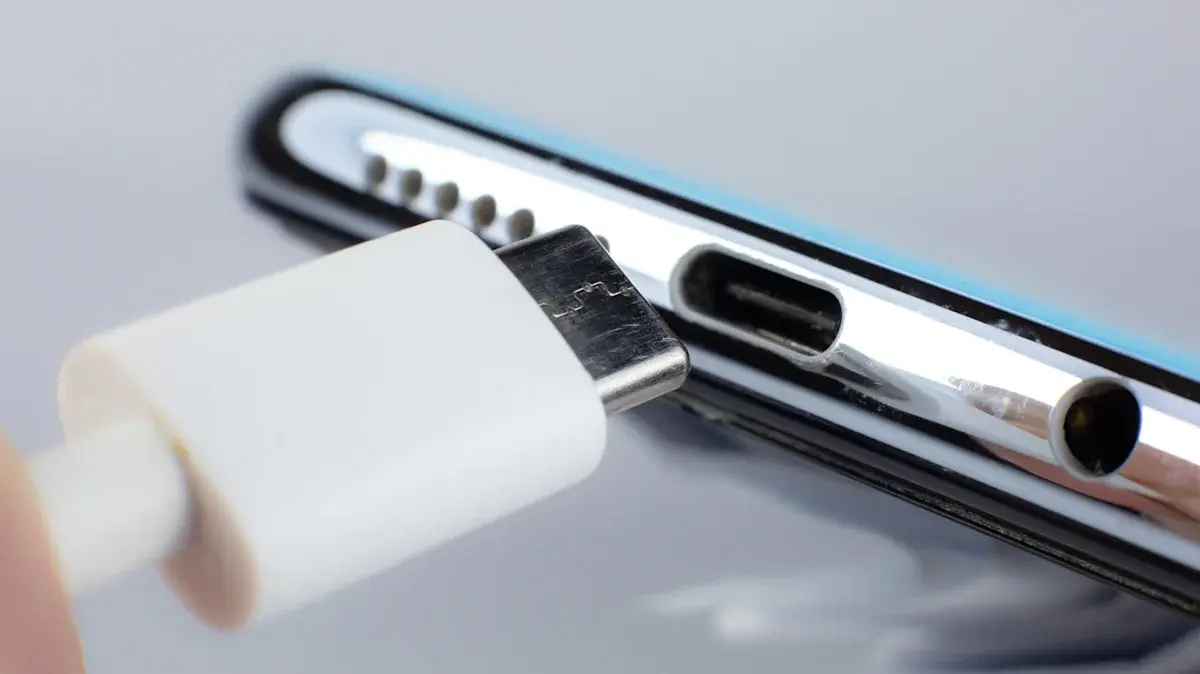
Why Your Phone's Charging Port Gets Dirty
Charging ports are small openings that can easily collect dust, lint, and other particles. Every time you put your phone in a pocket or bag, loose debris can enter the port.
Initially, this buildup may not cause noticeable problems. However, repeatedly inserting a charging cable can push the particles deeper inside.
Over time, accumulated debris may prevent the cable from connecting properly. You might notice symptoms such as:
- Your phone charges intermittently.
- The charging cable feels loose or does not connect completely.
- Charging starts and stops unexpectedly.
- Your phone takes longer to charge than usual.
- The device displays a liquid or debris warning.
Before attempting to clean anything, check whether the problem could be caused by a damaged cable, charger, or charging port.
What You Should Never Use to Clean a Charging Port
Knowing what to avoid is just as important as knowing how to remove debris. A charging port contains delicate electrical contacts that can be damaged by unsuitable tools or cleaning products.
Avoid these common mistakes:
Metal objects: Never insert needles, paper clips, pins, or other metal tools into the charging port. They can damage internal contacts and potentially cause an electrical short.
Toothbrushes: Although toothbrushes might seem useful for removing dirt, their bristles can become trapped inside the port. Avoid pushing brushes into the connector.
Your mouth: Blowing directly into the charging port can introduce moisture from your breath, potentially making the problem worse.
Water and cleaning liquids: Never pour water or household cleaning products into the port. Moisture can damage electrical components and cause corrosion.
Excessive force: Avoid scraping aggressively or pushing objects deep into the connector. Even a non-metallic tool can cause damage if used incorrectly.
Method 1: Remove Loose Debris Carefully
If you can see loose dust or lint inside the charging port, start with the least invasive approach.
Google recommends disconnecting the charging cable and gently tapping a Pixel phone against your hand with the USB-C port facing downward to help dislodge debris.
Follow these precautions:
- Disconnect the charging cable and any connected accessories.
- Turn off the phone.
- Hold the device with its charging port facing downward.
- Gently tap the phone against your hand.
- Check whether any loose debris has fallen out.
- Inspect the port again before reconnecting the charger.
Do not shake the phone aggressively or strike it against a hard surface. If the debris remains stuck, avoid forcing it out.
Method 2: Use Compressed Air Only When Your Manufacturer Allows It
Compressed air is sometimes recommended for removing dust from electronic equipment. However, it is not suitable for every smartphone or charging port.
The original SlashGear guide describes using short bursts of compressed air at an angle to remove loose debris. It also recommends keeping the canister upright to avoid spraying liquid propellant into the port.
There is an important qualification: Apple advises against using compressed air when cleaning an iPhone. Google also recommends a different approach for Pixel phones with debris in their USB-C ports.
If your device manufacturer does not specifically recommend compressed air for its charging port, do not use it. Follow the manufacturer's cleaning instructions instead.
Method 3: Be Careful With Toothpicks and Cotton Swabs
A wooden toothpick or cotton swab may appear safer than a metal tool, but that does not automatically make it suitable for every charging port.
The SlashGear guide suggests using a toothpick to remove compacted lint and a cotton-tipped tool for additional cleaning. However, inserting foreign objects into a connector can damage delicate components or leave material behind.
Apple specifically warns against inserting objects such as cotton swabs or paper towels into an iPhone's charging connector. Google likewise advises Pixel owners not to put anything inside the USB-C port.
For that reason, avoid using toothpicks, cotton buds, or homemade cleaning tools inside your phone unless the manufacturer provides instructions approving that method for your particular model.
What to Do If Your Phone Detects Moisture
Sometimes a charging problem is not caused by dust. Your phone may detect moisture inside the connector and temporarily disable wired charging to protect the device.
If your iPhone displays a liquid-detection warning, disconnect the cable and allow the connector to dry in an area with airflow. Apple advises against using compressed air, external heat, or foreign objects to speed up the process.
Google Pixel users should also disconnect the charger and let the phone dry at room temperature if moisture is detected.
Never attempt to charge a phone while its charging port or cable connector is wet. Doing so can damage the contacts and potentially cause permanent problems.
When Should You Visit a Phone Repair Shop?
Cleaning is not always enough to fix charging problems. If your phone continues to struggle after you have removed visible debris and checked the charging cable, the connector itself may be damaged.
Consider professional inspection if:
- The charging cable no longer fits securely.
- Your phone only charges when the cable is held at a particular angle.
- The charging port looks bent, corroded, burned, or damaged.
- Liquid or debris warnings keep appearing after the connector has dried.
- Your phone still refuses to charge with a working cable and adapter.
Avoid repeatedly inserting and removing the charger to force a connection. A damaged connector may need professional cleaning or replacement.
How to Keep Your Phone's Charging Port Clean
A few simple habits can reduce the amount of debris entering your phone's charging port.
- Keep your phone in a clean pocket or bag.
- Avoid placing the charging port directly against dusty surfaces.
- Inspect the charging cable for dirt and damage.
- Do not force a cable into the connector.
- Use a suitable protective case that does not obstruct the charging port.
- Check the port occasionally if you notice charging problems.
Regular care can help prevent debris from building up and reduce the chances of unexpected charging issues.
Final Thoughts
A dirty charging port can make a perfectly functional smartphone appear to have a serious charging problem. However, cleaning it requires care because the connector contains delicate components that are easy to damage.
Start with your phone manufacturer's recommended cleaning procedure. Avoid metal tools, liquids, aggressive scraping, and unapproved cleaning methods. If debris remains trapped or the charging problem continues, professional servicing is a safer choice than experimenting with objects inside the port.
Taking a cautious approach can help protect your Android phone or iPhone and keep its charging connection working reliably.
Leave a comment
Your email address will not be published. Required fields are marked *