


What Does the Lock Symbol Next to a Text Message Mean? Android & iPhone Explained
Have you noticed a small lock symbol next to a text message and wondered what it means?
If you're using Google Messages on Android, that little padlock is generally a good thing. It commonly indicates that your conversation is using end-to-end encryption (E2EE) through RCS messaging.
The icon does not normally mean that you accidentally locked a message, that someone has blocked you, or that somebody is secretly accessing your conversation.
Here's what the lock symbol means and why you may see it on some messages but not others.
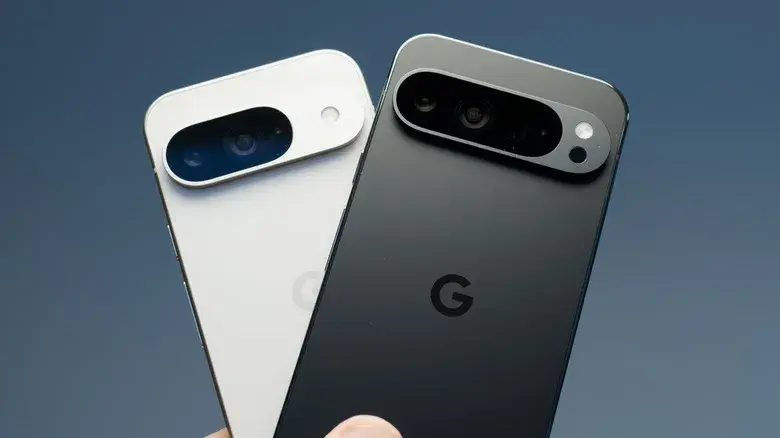
What Does the Lock Symbol Next to a Text Message Mean?
In Google Messages, a lock symbol can indicate that a conversation is protected by end-to-end encryption.
You may see the lock:
- On the send button while composing a message
- Next to the message timestamp
- Within an eligible RCS conversation
- In certain encrypted group or individual conversations
When end-to-end encryption is active, the message is protected while it travels between the participating devices.
In simple terms, the lock is telling you that the conversation has an additional layer of security.
What Is RCS Messaging?
RCS stands for Rich Communication Services. It is a modern messaging standard designed to provide features that traditional SMS and MMS don't offer.
Depending on the device and service, RCS can support features such as:
- Typing indicators
- Read receipts
- Higher-quality photos and videos
- Larger media files
- Group messaging improvements
- Messaging over Wi-Fi or mobile data
- End-to-end encryption in eligible conversations
Google Messages uses RCS for modern chat functionality, and eligible RCS conversations can use end-to-end encryption.
Does the Lock Mean My Text Message Is Locked?
Usually, no.
The lock icon can be confusing because it looks like a message has been manually locked.
However, when Google Messages displays the lock as an encryption indicator, it is referring to the security of the communication, not a feature that prevents you from opening, editing or deleting a message.
Think of it as a security indicator rather than a physical lock on the message.
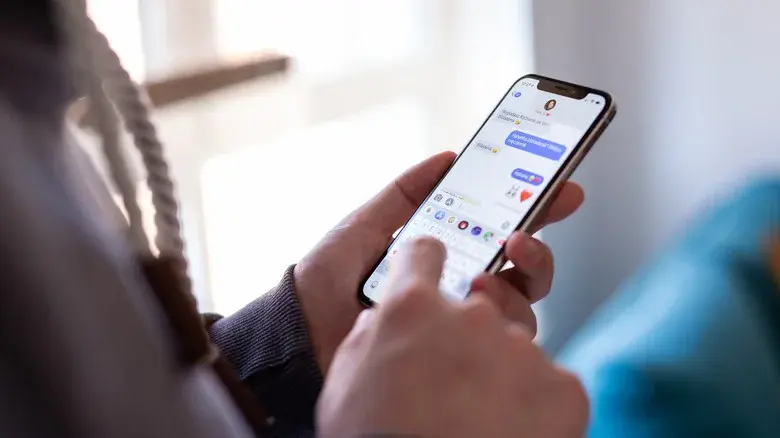
Does the Lock Mean Someone Is Reading My Messages?
No.
In fact, when the icon represents end-to-end encryption, it indicates the opposite.
End-to-end encryption is designed to protect the contents of eligible messages from unauthorized access while they're being transmitted between the participating devices.
Therefore, seeing a lock does not mean someone is secretly reading your texts.
Why Do Some Messages Have a Lock and Others Don't?
One of the most common questions is why the lock appears in one conversation but not another.
The reason is that not every conversation uses the same messaging technology.
Your phone may use:
- RCS
- SMS
- MMS
- iMessage
- Other messaging services
An eligible encrypted RCS conversation may display the lock, while a traditional SMS/MMS conversation generally won't have the same end-to-end encryption indicator.
RCS vs. SMS
| Feature | RCS | SMS/MMS |
|---|---|---|
| Modern messaging standard | Yes | No |
| Typing indicators | Supported | No |
| Read receipts | Supported | Limited/No |
| High-quality media | Better support | More limited |
| Internet connection | Can use mobile data/Wi-Fi | Cellular network |
| End-to-end encryption | Available in eligible conversations | No |
| Encryption lock | Can appear | Generally not shown |
This is why you might see a lock when messaging one person but not another.
What Does the Lock Next to the Timestamp Mean?
If you're using Google Messages and notice a small lock beside a message's timestamp, it can indicate that the message is end-to-end encrypted.
This is different from delivery or read indicators.
For example:
Lock icon = encryption/security
Delivery indicator = message delivery status
Read indicator = whether the recipient has opened the message, where supported
The lock should therefore not be interpreted as meaning that the message was delivered or read.
What Does the Lock on the Send Button Mean?
Google Messages can also display a lock directly on the send button when you're composing an encrypted RCS message.
This provides a quick visual indication that the message is being sent through an end-to-end encrypted conversation.
So if you see a lock on the send button, it generally means:
Your message is using an encrypted RCS conversation.
Why Did the Lock Suddenly Appear?
You may suddenly notice a lock even though you didn't manually enable anything.
There are several possible reasons.
RCS Became Available
Your conversation may have become eligible for RCS messaging.
RCS Was Enabled
Your messaging configuration or the recipient's configuration may now support RCS.
Your Messaging App Was Updated
An app update can change how security indicators are displayed.
The Conversation Became Eligible for Encryption
If the necessary requirements are met, the messaging service can use end-to-end encryption.
This means the appearance of the lock doesn't necessarily indicate that you changed a setting yourself.
Why Did the Lock Disappear?
If a lock disappears from a conversation, it doesn't automatically mean your phone has a security problem.
One possibility is that the conversation is no longer eligible for end-to-end encrypted RCS messaging.
For example, if RCS becomes unavailable, the conversation may fall back to another messaging method.
The exact behavior can depend on the messaging app, phone, carrier and participants in the conversation.
Does the Lock Mean Someone Blocked Me?
No.
The encryption lock is not a standard indicator that someone has blocked your number.
Blocking and encryption are completely different features.
If you see a lock beside a message, you should not assume that the recipient has blocked you.
Does the Lock Mean the Person Is Hiding Something?
No.
A lock used to indicate encryption is simply a technical security indicator.
It doesn't tell you anything about the other person's behavior or intentions.
In fact, encryption is designed to improve privacy for the conversation.
Does the Lock Mean the Message Can't Be Screenshotted?
No.
End-to-end encryption protects the communication channel, but it doesn't necessarily stop someone from taking a screenshot or photographing their screen.
The recipient can potentially:
- Screenshot the conversation
- Copy text
- Forward information
- Photograph the screen
- Share the content with another person
Encryption is important, but it isn't a guarantee that a recipient cannot share the information.
Is SMS End-to-End Encrypted?
Traditional SMS does not provide the same end-to-end encryption protection offered by eligible encrypted RCS conversations.
This is one of the major differences between traditional SMS and newer messaging technologies.
If your phone switches from RCS to SMS, you may therefore notice that the encryption indicator changes or disappears.
What Does the Lock Mean on an iPhone?
The answer depends on the messaging service being used.
Apple's Messages app supports multiple messaging technologies, including:
- iMessage
- RCS
- SMS/MMS
For iMessage, Apple uses end-to-end encryption and displays security information in the conversation interface.
RCS messaging on newer iPhones can have different capabilities depending on software, carrier and service support.
Therefore, the exact location and appearance of a lock can vary between devices and messaging systems.
Lock Symbol vs. Locked Chat
It's important not to confuse an encryption lock with a locked chat.
These are different concepts.
| Symbol/Feature | Possible Meaning |
|---|---|
| Lock next to message timestamp | Encryption indicator |
| Lock on RCS send button | End-to-end encryption |
| Lock in a private-chat app | Could indicate a protected conversation |
| Locked phone screen | Device security |
| Website padlock | Secure HTTPS connection |
The same padlock design can be used for completely different purposes.
Does a Lock Mean the Message Was Delivered?
No.
A lock is primarily associated with security when it is being used as an encryption indicator.
It shouldn't be confused with message delivery or read receipts.
A message can be encrypted without the lock meaning that the recipient has already received or read it.
Is a Lock Symbol a Sign That My Phone Has Been Hacked?
No.
Seeing a lock next to a message is generally not a sign that your phone has been hacked.
If the lock appears as part of your messaging application's normal interface, it is usually a security or encryption indicator.
In many cases, it's actually a sign that your conversation has stronger protection.
What Should You Do When You See the Lock?
Usually, nothing.
If you're using Google Messages and the lock represents end-to-end encryption, it is a security feature you generally want to keep enabled.
You can continue using the conversation normally.
If you're unsure about the icon, check:
- Which messaging app you're using
- Whether the conversation is RCS
- Where exactly the lock appears
- Whether the app displays an encryption message
- Your phone and messaging app settings
Quick Explanation
If you're using Google Messages and see a lock next to a text message, the simplest explanation is:
The conversation is using end-to-end encrypted RCS messaging.
It usually does not mean:
- You accidentally locked the message
- You have been blocked
- Someone is reading your messages
- The message has been deleted
- Your phone has been hacked
- The recipient is hiding something
The exact meaning can vary depending on the messaging app and where the symbol appears.
Final Verdict
The small lock symbol next to a text message can look confusing, but in modern messaging apps it is usually related to security and encryption.
For eligible Google Messages RCS conversations, the lock indicates that end-to-end encryption is active. It helps protect message content while it travels between participating devices.
So the next time you see a lock beside your text message, there's generally no reason to worry. Rather than indicating a problem, it may simply be telling you that your conversation has an additional layer of privacy protection.
Leave a comment
Your email address will not be published. Required fields are marked *