


Google Makes Its SynthID Detector Available to Everyone
Google is expanding access to its SynthID Detector, giving users a new way to check whether digital images, videos and audio contain hidden AI watermarks. The tool was initially tested with journalists, researchers and media professionals, but Google has now opened access globally in English.
The announcement represents another step toward improving transparency around artificial intelligence-generated media. As AI tools become increasingly capable of producing realistic pictures, videos and audio recordings, distinguishing synthetic content from authentic material is becoming more difficult.
Developed by Google DeepMind, SynthID uses invisible digital watermarks to help identify content created with supported AI systems. Google says its technology has already been used to watermark more than 180 billion images and videos, alongside approximately 240,000 years of audio content.
The expanded detector also supports participating companies beyond Google, including OpenAI, NVIDIA and Kakao, with Apple support expected in the future.
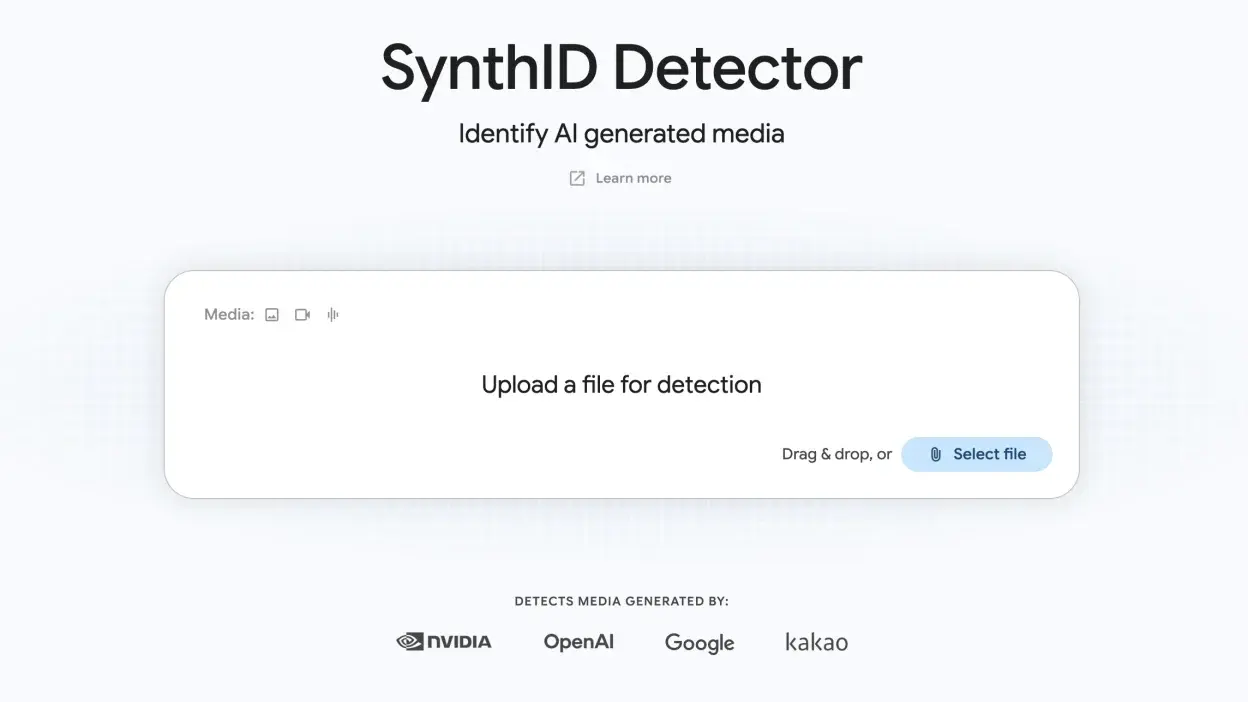
What Is Google SynthID Detector?
SynthID Detector is an online verification tool that searches for invisible watermarks embedded in AI-generated media.
Unlike conventional AI detection tools that attempt to determine whether content looks artificially generated, SynthID searches for a specific digital signal associated with supported AI systems.
The watermark is designed to remain undetectable to human viewers and listeners while allowing compatible verification technology to identify it.
SynthID technology is used across several Google AI products, including Gemini and other image, video and audio generation systems. Its broader purpose is to help people understand the origins of digital content without visibly changing the media itself.
However, SynthID is not a universal AI detector. If a file does not contain a detectable watermark, that does not necessarily mean a human created it.
How to Use Google SynthID Detector
Checking a media file with Google's detector is straightforward. Users can follow these steps:
- Open the official website: Visit SynthID Detector .
- Sign in: Follow the website's instructions to authenticate with a supported account.
- Upload your media: Select the image, video or audio file you want to examine.
- Wait for the analysis: The service checks the uploaded file for a supported SynthID watermark.
- Review the result: Check whether the detector identifies a watermark in the submitted content.
A positive result indicates that the system detected a supported watermark. It does not necessarily establish that every part of a file was generated by AI or that the content is misleading.
The detector is designed to provide additional information about media authenticity, not to replace independent verification or critical judgment.
Which File Formats Does SynthID Support?
The public detector supports a range of common image, video and audio formats.
| Media type | Supported formats |
|---|---|
| Images | JPG, JPEG, PNG, BMP, WEBP, AVIF, HEIC, HEIF, TIFF, TIF, GIF |
| Videos | MP4, MOV, WEBM |
| Audio | WAV, MP3, OGG, FLAC, AAC, M4A |
Users should check the official website for the latest file requirements and upload restrictions, as supported formats and service limits may change.
SynthID Expands Beyond Google's Own AI Tools
One of the most significant developments is the detector's expanded support for AI-generated content associated with participating technology companies.
Google says the service can identify SynthID watermarks from its own AI tools and supported partners, including OpenAI, NVIDIA and Kakao. Support for Apple's AI-generated media is expected to be added later.
This broader compatibility could make the tool more useful as AI-generated content spreads across social networks, messaging platforms, websites and online publications.
However, it does not mean the detector can identify every image, video or audio recording created with those companies' products. Detection depends on the presence of a supported watermark.
What Are SynthID Detector's Limitations?
Although SynthID offers a useful verification method, it has important limitations.
It cannot detect every AI-generated file. Content created using unsupported AI tools may not contain a SynthID watermark, meaning the detector might not identify it.
A positive result does not prove deception. AI-generated content can be legitimate, including illustrations, entertainment, educational material and creative projects.
AI editing and AI generation are different. Detecting a watermark does not necessarily reveal whether an entire file was generated by AI or whether AI was used to modify only part of it.
It does not independently verify factual accuracy. A watermarked image can depict a real event, a fictional scene or a misleading representation. Additional evidence is needed to determine whether its claims are accurate.
For these reasons, users should treat SynthID as one part of a broader content-verification process.
Why Google's AI Detection Technology Matters
AI-generated media is becoming increasingly common in online communication, digital marketing, journalism and entertainment. While these tools offer creative benefits, they also create challenges when people need to verify the source of a photograph, recording or video clip.
Invisible watermarking provides a way for participating AI developers to make their generated content more identifiable without adding visible logos or altering the viewing experience.
Expanding access to SynthID Detector gives ordinary users, content creators, publishers and researchers a convenient way to perform additional checks.
Its effectiveness will depend on broader adoption of watermarking standards, continued technical improvements and the availability of verification tools across different platforms.
Final Verdict
Google's expanded SynthID Detector makes checking supported AI-generated images, videos and audio more accessible. By opening the service globally in English and extending compatibility to participating AI companies, Google is providing users with another option for investigating the origins of digital media.
Nevertheless, the detector should not be treated as a definitive test of whether content is authentic. A detected watermark provides useful evidence of AI involvement, while an undetected watermark does not prove that a file was created by a human.
For the best results, combine SynthID checks with reliable sources, reverse image searches and independent verification before trusting or sharing questionable content.
Visit Gadgets.com.pk for more updates on Google AI, artificial intelligence tools, software releases and the latest technology news.
Leave a comment
Your email address will not be published. Required fields are marked *